You can stretch your phone battery life most by lowering screen brightness, limiting background activity, and avoiding heat. Charging habits help over the long run, but many popular tips are myths. Here is what actually works and what to ignore.
What shortens phone battery life over time
Most phones use lithium-ion batteries. Each full charge cycle slightly reduces how much energy the battery can hold, so capacity falls gradually over a few years. That is normal and expected.
Heat is the biggest everyday enemy. Leaving a phone on a hot dashboard or under a pillow while charging stresses the cells more than any app will.
Myth versus fact
| Common belief | Reality |
|---|---|
| Closing apps saves battery | Usually not. Reopening an app from scratch can use more power than leaving it paused. |
| You must drain it to zero before charging | False. Lithium-ion batteries prefer partial charges to deep drains. |
| Overnight charging ruins the battery | Modern phones stop charging when full, and many have optimised charging modes. |
| Dark mode always helps | It helps on OLED screens, with little effect on many LCD panels. |
| Third-party chargers are always unsafe | Quality certified chargers are fine, while very cheap uncertified ones are risky. |
Settings that make the biggest difference
The screen is typically the single hungriest part of a phone, so begin there.
- Turn on automatic brightness and shorten the screen timeout to 30 seconds or a minute.
- Check your battery usage list in settings to see which apps use the most, then restrict background activity for the worst offenders.
- Switch off location access for apps that do not need it, or set it to “while using”.
- Reduce unnecessary notifications, since each one wakes the screen.
- Use low-power or battery-saver mode when you are away from a charger.
Connectivity and weak signals
A phone that struggles to find a signal works harder and drains faster. In a spot with poor reception, flight mode or Wi-Fi calling can save power. Understanding how Wi-Fi works can also help you position yourself or your router for a steadier link.
Bluetooth and Wi-Fi use little power when idle, so switching them off constantly makes only a small difference. Keep them on if they are useful.
Smarter charging habits
- Aim to keep the battery roughly between 20 and 80 percent when convenient, though occasional full charges are fine.
- Take thick cases off if the phone gets warm while charging.
- Use the optimised or adaptive charging option if your phone offers it.
- Fast charging is safe when you use the right adapter, but can generate more heat, so it suits top-ups better than daily routines.
When it is time for a new battery
If your phone shuts off at a high percentage, runs hot, or has a swollen case, stop using it and seek help from an authorised repair service. A battery replacement is often cheaper than a new phone and can give years of extra life.
Before any repair, back up your phone and photos. It takes a few minutes and protects everything you care about.
When to adjust settings and when to relax
It is easy to obsess over battery percentages. Remember that a phone is a tool to be used, not a trophy to be preserved. If your battery gets you through the day, there is little to gain from extreme measures. Focus on the few habits that matter and ignore the rest.
The same principles apply to other devices. If you are comparing models, our laptop buyer’s checklist explains why battery performance is worth checking in independent reviews, not just manufacturer claims.
It also helps to keep your software up to date. Updates often include improvements to power management, and they fix bugs that can make a phone work harder than it should. Pay attention if your battery suddenly drains much faster after installing a new app, because that app may be misbehaving. Removing it, or checking for an update, is often the quickest cure.
Key takeaways
- Screen brightness, background apps, and heat have the largest effect on daily battery life.
- Force-closing apps usually does not help.
- Partial charges are kinder to lithium-ion batteries than full drains.
- Replace a failing or swollen battery rather than pushing on.
For more everyday tech help, visit our technology archive.
This article is general information, not a substitute for the manufacturer’s guidance. For safety concerns about a damaged battery, consult a qualified repair professional.
Frequently asked questions
Is it bad to leave my phone charging overnight?
Generally no. Modern phones manage charging and stop at full, and optimised modes reduce time spent at 100 percent.
Does fast charging damage the battery?
Used with the correct adapter, it is designed to be safe. It does produce more heat, so avoid it in hot places.
How long should a phone battery last overall?
Many batteries keep decent capacity for a few years of regular use. Individual results vary with heat, charging habits, and age.
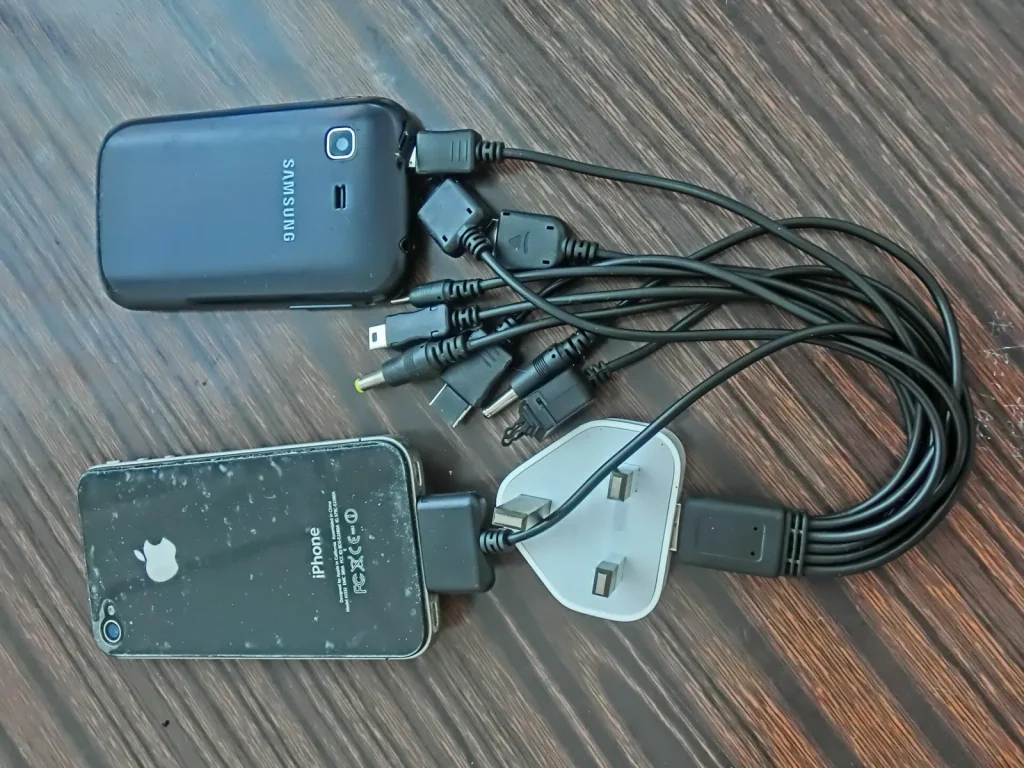
Photo: HK mobile Iphone power charging USB cable connectors Sept-2013 One to Many n Samsung by Huwanglaimtangms, CC BY-SA 3.0, via Wikimedia Commons