The best smart home starter plan is to choose one ecosystem, buy two or three devices that solve a real annoyance, and secure your Wi-Fi first. Smart bulbs, plugs, and a speaker or display are an easy, low-risk beginning. Grow slowly and only add what you will use.
What makes a home smart
A smart home is simply a set of devices that connect to your network and can be controlled by an app, a voice assistant, or an automatic rule. You might ask a speaker to dim the lights, or have a plug switch off a lamp at midnight.
The value comes from convenience and small savings of time and energy, not from owning lots of gadgets.
Smart home starter step one: pick an ecosystem
Ecosystems are the platforms that tie devices together, usually built around a voice assistant and a phone app. Before you buy anything, check which platforms your phone and your chosen devices support.
A newer connectivity standard called Matter aims to make devices from different brands work together. It is a helpful label to look for, though support still varies between products, so check the box.
Good first devices
| Device | What it does | Why it suits beginners |
|---|---|---|
| Smart bulbs | Dim, change colour, and run on schedules | Screw in like a normal bulb |
| Smart plugs | Turn ordinary lamps and appliances on or off remotely | Cheap and flexible |
| Smart speaker or display | Voice control and a central hub | Handles many tasks in one place |
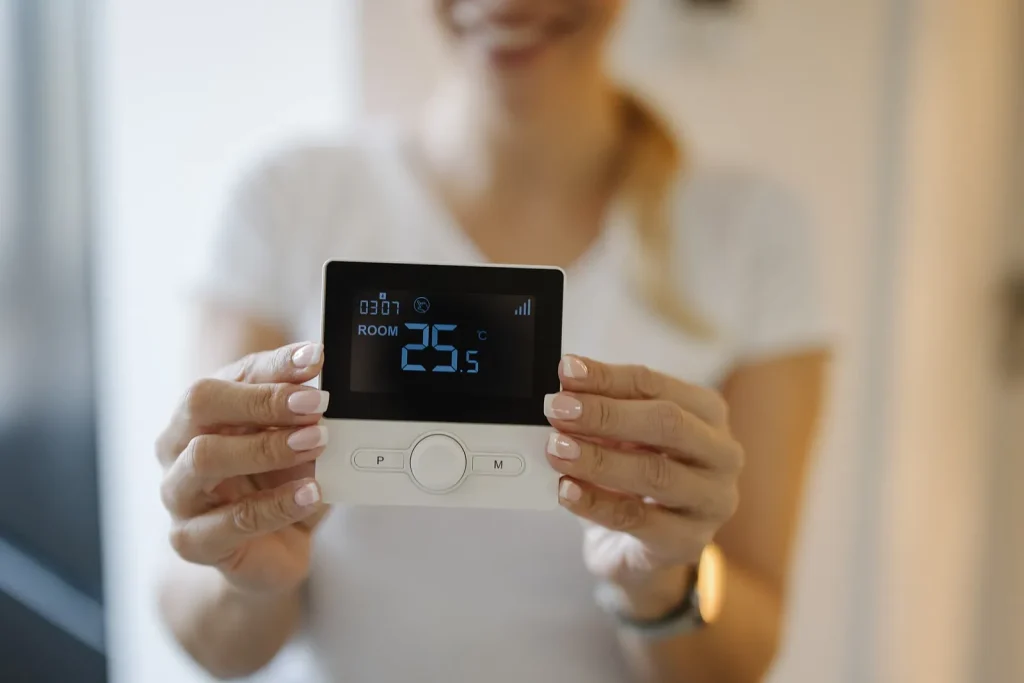
| Smart thermostat | Learns or follows heating schedules | May cut wasted heating, though installation can need a professional |
| Video doorbell | Shows who is at the door | Useful, but consider privacy for visitors |
Get your network ready first
Every device adds traffic and another possible weak point. A solid router in a good position matters, and our explainer on how Wi-Fi works shows how to improve coverage before you add gadgets.
Many smart devices use the crowded 2.4 GHz band, so check compatibility with your router settings during setup. Mesh systems can help in larger homes.
Keep it secure and private
- Give each device account a unique password, ideally stored in a password manager.
- Turn on two-factor authentication for the main app account.
- Install firmware updates when the app offers them.
- Change default usernames and passwords on any device that has them.
- Review microphone and camera settings, and place devices thoughtfully.
Mistakes to avoid
- Buying many different brands without checking compatibility.
- Choosing the cheapest unknown device, which may never receive updates.
- Automating too much at once, then struggling to understand why a light turned on.
- Forgetting a fallback. A manual switch or key should always still work.
A simple three-week plan
In week one, set up the speaker or hub and a couple of bulbs. In week two, add a plug and make one routine, such as a lamp that turns on at dusk. In week three, review what you actually use and decide whether anything else earns its place.
Hubs, bridges, and how devices talk
Devices connect in different ways. Some use Wi-Fi directly, while others use low-power protocols such as Zigbee, Thread, or Bluetooth and need a hub or bridge to reach your network. A hub can be a separate box or built into a speaker.
Direct Wi-Fi devices are simpler to set up but can add load to your router. Hub-based systems often respond faster and scale more neatly, though they cost a little more at the start. Check the packaging so you know what you need before you buy.
Thinking about budget and upgrades
Start small and treat the first purchases as an experiment. If a device saves you effort every day, you will know it was worthwhile. Resist bundles with items you do not need, and keep receipts and return windows in mind in case a device does not work well with your setup.
Do not forget the people who live with you. Explain how the devices work, agree where cameras and microphones are placed, and make sure everyone can operate the lights and heating without needing an app. A smart home should make life easier for the whole household, so a few minutes of explanation at the start prevents a lot of frustration later and keeps visitors comfortable too.
Key takeaways
- Choose one ecosystem and look for broad compatibility.
- Start with bulbs, plugs, and a speaker.
- Strengthen your network and passwords before expanding.
- Add devices only when they solve a real problem.
Explore more guides in our technology archive.
This article is general information, not professional electrical or safety advice. For wiring or installation work, consult a qualified professional.
Frequently asked questions
Do smart devices work without internet?
Some basic functions do, depending on the product and ecosystem. Many features, including remote control, need a connection.
Are smart plugs safe to use?
Certified plugs used within their rated power are generally safe. Check the label and avoid plugging in heavy heaters unless the plug is rated for them.
Will a smart home raise my energy bill?
Devices draw a small amount of standby power. Scheduling and heating controls may offset that, but results vary by home.
Photo: Person holds smart thermostat displaying room temperature inside a home by Shixart1985, CC BY 2.0, via Wikimedia Commons