Here is how Wi-Fi works in one sentence: your router converts internet data into radio waves, and your phone, laptop, or tablet picks them up and sends replies back the same way. Wi-Fi is the last short hop, not the internet itself. Understanding that hop makes slow spots much easier to fix.
How Wi-Fi works: the journey of a web page
Your internet service arrives through a cable, fibre line, or phone line into a modem. The modem connects to your provider. The router, which is often combined with the modem in one box, shares that connection with your devices.
When you load a page, your device asks the router for it over radio. The router forwards the request out to the internet, receives the answer, and sends it back to you as radio signals. All of this happens in a fraction of a second.
Radio bands: 2.4, 5, and 6 GHz
Wi-Fi uses a few different slices of the radio spectrum, called bands. Each one trades range against speed.
| Band | Range | Speed | Notes |
|---|---|---|---|
| 2.4 GHz | Longest | Lower | Crowded; also used by some household gadgets |
| 5 GHz | Medium | Higher | Struggles more with walls |
| 6 GHz | Shortest | Highest | Needs newer routers and devices |
Many routers combine bands under one network name and move your devices between them automatically. That is usually fine, but separate names can help if a particular gadget misbehaves.
Why signal strength and speed are different
A full set of signal bars tells you the radio link is good. It does not guarantee a fast internet connection, because speed also depends on your plan, how many devices are busy, and the quality of the connection beyond your home.
Think of it as a hose. Wi-Fi is the nozzle, but if the tap supplying it is only a trickle, a better nozzle will not help much.
What gets in the way
- Distance: signals weaken the farther they travel.
- Thick walls and floors: brick, concrete, and metal absorb or block radio waves.
- Interference: neighbouring networks, microwave ovens, and some cordless devices can clutter the airwaves.
- Congestion: many devices streaming or downloading at once share the same capacity.
Simple ways to improve your connection
- Move the router to a central, open spot, off the floor and away from thick walls.
- Keep it clear of microwaves, baby monitors, and big metal objects.
- Restart it occasionally, especially if speeds drift down over time.
- Use a cable for fixed devices like a desktop or streaming box, which frees up wireless capacity.
- For large homes, consider a mesh system with several units rather than a single stronger router.
If your phone is also draining quickly while hunting for a weak signal, see our tips to extend your phone battery life.
Keeping your network secure
Set a strong, unique Wi-Fi password and choose the newest security mode your router offers, usually labelled WPA3 or WPA2. Change the router’s admin password from the factory default and install its updates. A password manager makes storing those credentials painless.
Smart bulbs, cameras, and speakers all rely on your network too. If you are adding them, our smart home starter guide explains how to plan for it.
Wi-Fi standards in plain terms
Wi-Fi is defined by a family of standards that improve over time. Newer versions generally deliver higher speeds, handle many devices better, and use bands more efficiently. Devices are backward compatible, so an older phone still connects to a newer router, though it will not get the newest speeds.
Your connection is always limited by the slowest part of the chain. An older device, a distant room, or a basic broadband plan can each hold things back, regardless of how modern the rest of your gear is.
It is also worth knowing how to test your connection sensibly. Run a speed check in a few rooms, at different times of day, and compare the results with the speed you pay for. A big difference near the router suggests an issue with your service, while a drop in far rooms points to coverage problems. Writing down the figures gives you something concrete to share if you need to contact your provider.
Key takeaways
- Wi-Fi is the wireless link between your devices and your router, not the internet itself.
- Lower bands travel farther, while higher bands are faster over shorter distances.
- Router placement is often the cheapest fix for weak signal.
- Use modern security settings and update your router.
Find more explainers in the technology archive.
Frequently asked questions
Does Wi-Fi stand for anything?
Not really. The name was coined as a catchy brand for wireless networking, and people often wrongly assume it means “wireless fidelity”.
Why is my Wi-Fi slower in the evening?
More people in your home, and sometimes your area, are online at once. Shared capacity means each device may get less.
Should I use a Wi-Fi extender or a mesh system?
Mesh systems are generally smoother in larger homes because the units work together. Simple extenders can help in one weak spot but may halve speeds there.
Is a wired connection still better?
For stability and speed, usually yes. A cable avoids interference and is ideal for desktops and consoles.
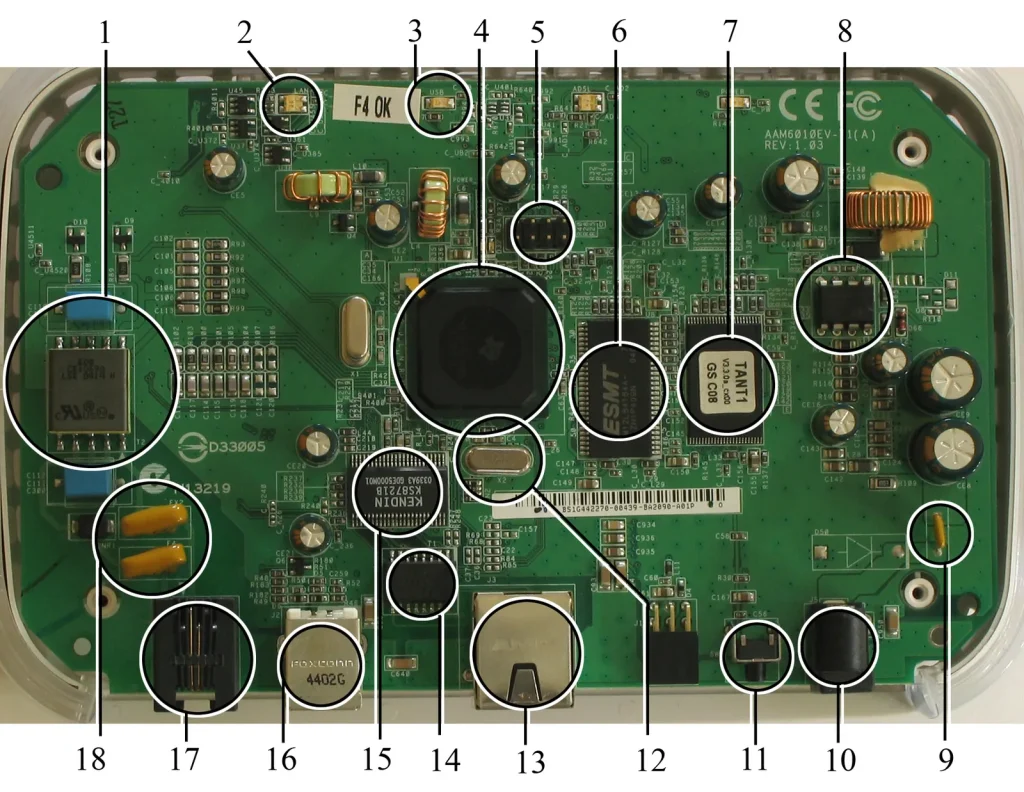
Photo: ADSL modem router internals labeled by User Mike1024 on en.wikipedia, Public domain, via Wikimedia Commons